
Can You Copy an NFC Card with an iPhone?
An iPhone can copy the content of ordinary NFC tags, but not key cards, fobs or bank cards. See how to copy a tag and how to get a key on iPhone legally.
Partly. An iPhone can copy the content of an ordinary, unprotected NFC tag, such as a link, text, Wi-Fi details or a contact card, onto another tag. It cannot copy a tag's factory serial number, and it cannot copy secured access cards, 125 kHz key fobs or bank cards. No app can make an iPhone act as a copied key card either. If you want your office, hotel or building key on your phone, ask the provider whether it supports Apple Wallet or mobile access.
What an iPhone can and cannot copy
| What you have | Can an iPhone copy it? | Why |
|---|---|---|
| Sticker, card or key fob with a link, text, Wi-Fi or contact (for example NTAG213/215/216) | Yes, the content | It is ordinary NDEF data that phones can read |
| Tag with a password that also protects reading | No | Without the password, the content cannot be read |
| Factory serial number (UID) of any tag | No | It is fixed at the factory and cannot be written to a normal tag |
| MIFARE Classic (older access cards, hotel keys, gym fobs) | No | iPhone cannot read MIFARE Classic |
| MIFARE DESFire cards secured with keys | No | Secured cards cannot be copied with an iPhone |
| 125 kHz cards and fobs (EM4100, HID Prox) | No | They are not NFC, so iPhone cannot see them at all |
| Bank and payment cards | No | Only Apple Wallet and specially approved apps can act as a card on iPhone |
The simple rule: if a tag opens a link or shares information, you can copy what is on it. If a card opens a door or pays for something, you cannot.
Why key cards cannot be copied
Four separate barriers stand in the way.
- The serial number is fixed. Every NTAG21x chip has a 7-byte serial number (UID) set at the factory. It cannot be changed, and you cannot write it onto a normal tag. A copy always has its own UID, so a reader that identifies cards by their serial number will not accept it.
- Secured cards stay secured. MIFARE DESFire cards set up with keys cannot be copied with an iPhone, and iPhone cannot read MIFARE Classic cards at all.
- Many fobs are not NFC. NFC works at 13.56 MHz. Proximity cards and fobs at 125 kHz (EM4100, HID Prox) use a different technology, and an iPhone cannot see them.
- iPhone cannot pretend to be a card. Third-party apps cannot make the iPhone behave like an NFC card. Card emulation is limited to Apple Wallet (Apple Pay, transit cards, car keys, hotel keys, and some corporate and student badges from participating providers) and, in some regions, specially approved apps.
This is security by design. If a phone could copy a key card with one tap, anyone standing next to you could copy yours.
How to copy an NFC tag with TagForge
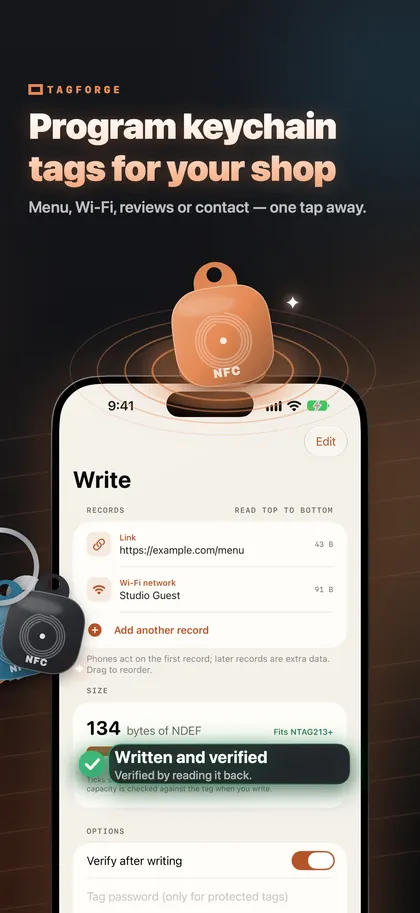
Copying works well for tags that open a link, share Wi-Fi details or a contact card, or carry text. You need the original tag and a blank tag with enough memory.
- Choose a target tag that is big enough. An NTAG213 holds 144 bytes (a link of about 130 characters), an NTAG215 504 bytes and an NTAG216 888 bytes, which is good for contact cards. Use the same type as the original or a bigger one. Our comparison of NTAG213, NTAG215 and NTAG216 explains the choice.
- Open Tools → Copy a tag.
- Read the source. Tap Read source tag and hold the top edge of your iPhone against the original tag, within about 1–4 cm (under 1.5 in). The app shows what is on the tag and how many bytes each copy needs.
- Set the number of copies. One, or several if you need a set.
- Write. Tap Write copy and hold the blank tag against the top of the iPhone. For several copies, present the tags one after another.
- Check. TagForge verifies each copy by reading it back. Then test one copy the way people will use it.
You can also start from a scan: after you scan a tag on the Scan tab, choose Copy content to another tag.
Three things to know:
- Locks and passwords are not copied. The copy is a new, unprotected tag. If it goes somewhere public, lock it or set a password again.
- The copy has its own serial number. For links and contact details this does not matter, because phones act on the content.
- Shortcuts automations recognise the tag itself. If the original tag started a personal automation, set up the automation again for the copy.
To create new content instead of copying, see how to write NFC tags with iPhone.
Copying access cards you do not own
Copying an access credential you do not own may be illegal. This covers office badges, apartment fobs, gym fobs and hotel keys. Even when the card is in your pocket, it usually belongs to the building, the employer or the hotel, and your lease or workplace rules may forbid copies. Laws differ between countries. The right path is to ask the building, the employer or the hotel for Apple Wallet or mobile access.
Legitimate ways to get your key on your iPhone
- Ask for Apple Wallet or mobile access. Ask your building manager, employer, university or hotel. Hotel keys and some corporate and student badges from participating providers work in Apple Wallet. In some regions, specially approved apps can also act as a key.
- Ask for an extra card or fob. If a family member needs a second key, the building can issue one that works with its system.
- Use Shortcuts for your own spaces. In the Shortcuts app, go to Automation → NFC, scan any tag and choose what happens when you tap it, for example a Focus, a playlist or a note. This works on iPhone XS and later, and since iOS 17 an automation can run immediately, without asking. Find more examples in our 15 Shortcuts ideas.
- Program your own key fob. An NTAG key fob on your key ring can hold your Wi-Fi details, a contact card or a link. It cannot be a door key, but it is useful every day.
FAQ
Can I add my apartment key fob to my iPhone?
Only if your building's access system supports Apple Wallet or an approved mobile access app. iPhone cannot copy the fob itself. If it is a 125 kHz fob, iPhone cannot even detect it.
Can I copy my hotel key card to my iPhone?
No. Hotel keys often use MIFARE Classic, which iPhone cannot read, and no app can make the iPhone act as a key card. Some hotels offer room keys in Apple Wallet instead.
Why does a copied NFC tag have a different serial number?
The serial number (UID) is set at the factory and cannot be written to a normal tag. The copy carries the same content, which is what phones use to open a link or show information.
Can an iPhone read RFID access cards?
It depends on the card. iPhone reads 13.56 MHz NFC chips such as NTAG, MIFARE Ultralight, MIFARE DESFire, ICODE SLIX and FeliCa. It cannot read MIFARE Classic and cannot see 125 kHz cards at all. Reading a card's serial number is not the same as copying it.